To view Company Details, navigate to Settings > Company Settings > Company Details.
Here you can customise your account by clicking the Edit button on the top right-hand side.
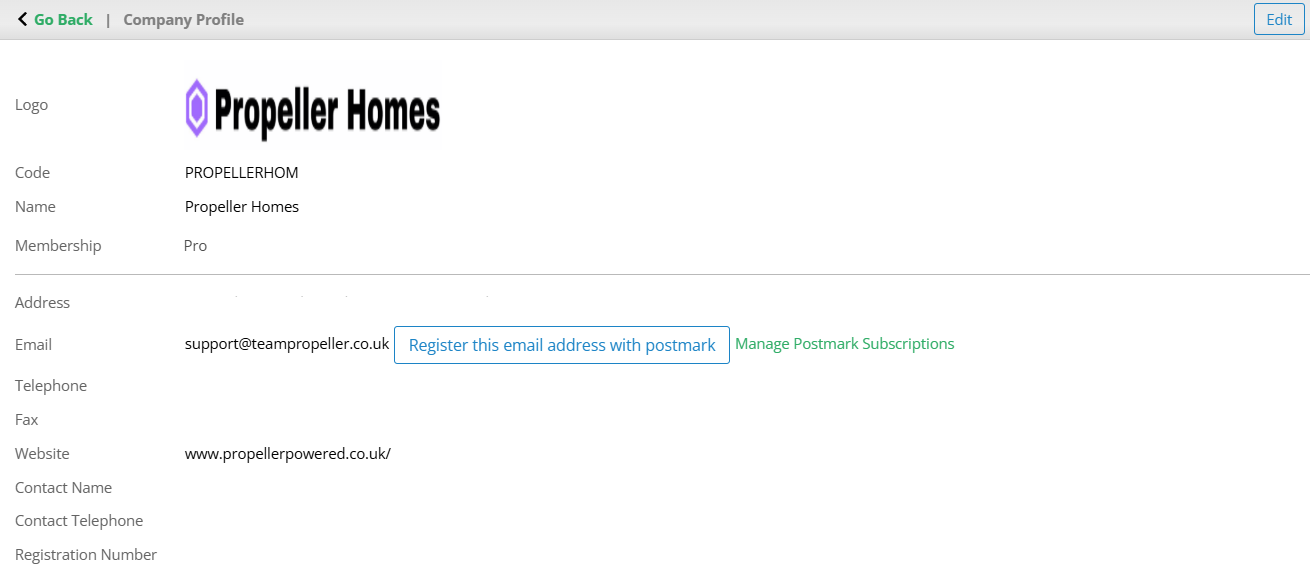
The following details are customisable depending on your account permissions:
- Logo (must be in PNG, JPG, JPEG, or GIF formats)
- Company Name
- Address
- Telephone Number
- Fax Number
- Website Address
- Contact Name
- Contact Telephone Number
- Companies House Registration Number
You can also select which bank holidays apply to your organisation. You can choose out of the below:
- England & Wales
- Scotland
- Northern Ireland
By default England, Wales and Scotland are enabled.
Once done simply click Update in the top right-hand side to save the changes.
Was this article helpful?
That’s Great!
Thank you for your feedback
Sorry! We couldn't be helpful
Thank you for your feedback
Feedback sent
We appreciate your effort and will try to fix the article