Further works are required when additional tasks are identified during or after a visit that cannot be completed at the original appointment. This may be due to missing equipment, additional technical requirements, the need for extra time or specialist support. In these cases, the engineer records the details of the additional work needed so it can be planned and completed at a later date.
_____________________________________________________________________________________________________________________________________
Further Works
When a visit is marked as Further Work this will appear in the visit's Status section. This will allow an admin user/engineer to create another visit so they are able to complete the work they started.
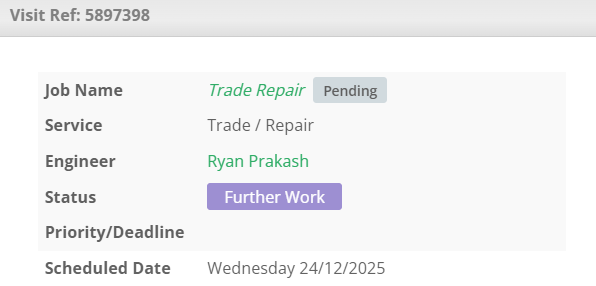
You are able to reschedule these works via the Create Further Visit option in the Actions box.
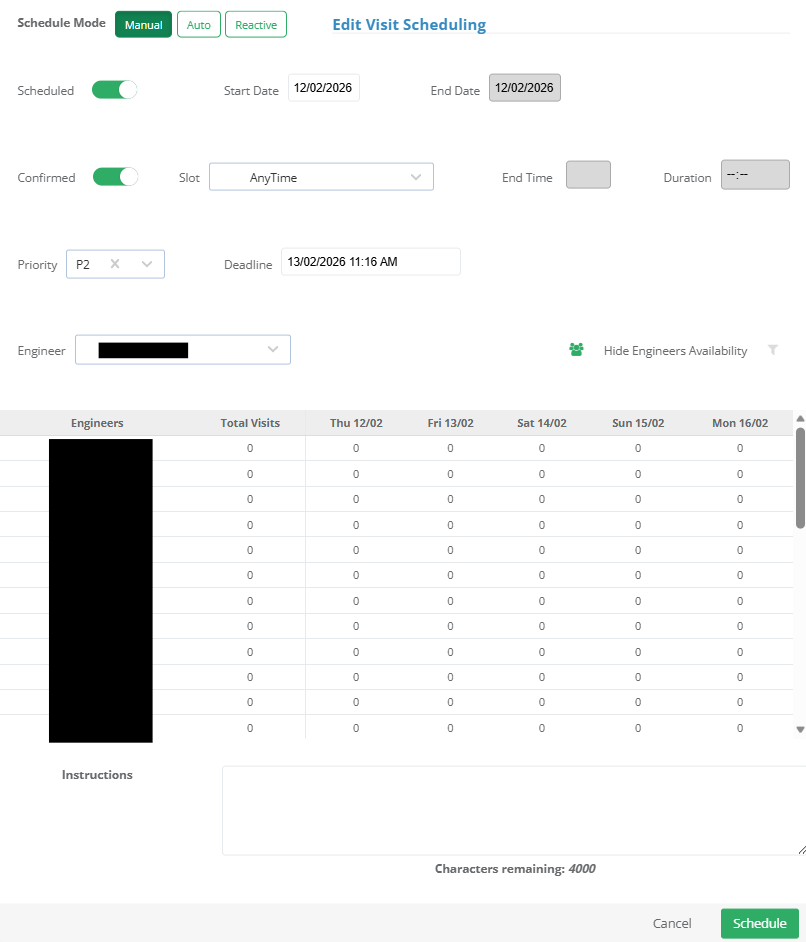
Here, you can choose whether to schedule the works manually, automatically or reactively. Once the required details have been entered, click Schedule.
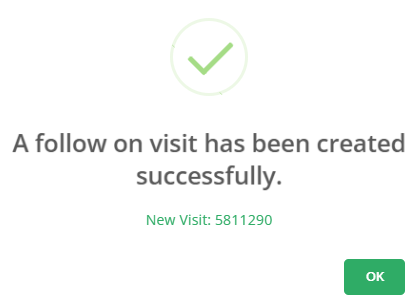
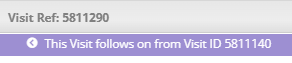
You will be informed of the new visit reference (you can select this to open the full visit page). When viewing the new visit, it will notify you that the visit is a follow on.
_____________________________________________________________________________________________________________________________________
Further Works - Recommended Process
When further work is identified during a visit, it’s important to follow the recommended process to ensure visits are tracked correctly and reporting remains accurate.
1. Engineer Marks Further Work
The engineer marks the original visit (Visit 1) as Further Work Required. This indicates that the initial visit could not be fully completed and additional work is needed.
2. Admin Creates Follow Up Visit
The admin user clicks Create Further Visit, which opens the scheduling page. Here, they can set the start date, end date, time and any engineer priorities. Once confirmed, the new visit (Visit 2) is scheduled and created in the system.
More about scheduling can be found here.
3. Mark Original Visit as Complete
After Visit 2 has been successfully created, the admin user marks the original visit (Visit 1) as Complete. This closes the first visit while keeping all remaining work linked to the follow up visit.
Was this article helpful?
That’s Great!
Thank you for your feedback
Sorry! We couldn't be helpful
Thank you for your feedback
Feedback sent
We appreciate your effort and will try to fix the article