You can view a list of your company's visits at Jobs/Visits > View All.
From here you are able to filter the visits down.
_____________________________________________________________________________________________________________________________________
Basic Filter
The basic filter is the search bar found at the top of the page.

Here you can narrow down the visit list by using the following search criteria:
- Full or Partial Postcodes
- Part of the Address
- Customer Name
- Customer Email Address
- Visit ID
- Visit Type (e.g. Electrical, Gas, Trade)
- Visit Activity (e.g. Installation, Service, Collection)
- Full or Partial Engineer Name
_____________________________________________________________________________________________________________________________________
Advanced Filter
The advanced filter allows you to specify your search in further detail. Selecting the Show Advanced Filter button will show the advanced filter options. This can be found next to the basic filter.

Date Filter
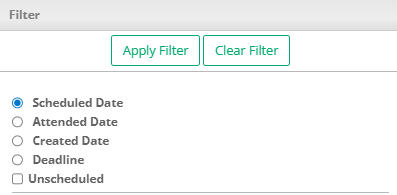
Here you can select visits based on the following date criteria.
- Scheduled Date
- Attended Date
- Created Date
- Deadline
You can also include or exclude Unscheduled visits.
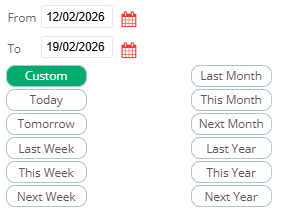
You can either filter the date manually or select from the pre-defined date times below.
Other Filters
Other filters can be applied via a check box or a drop down of options. The further filters include:
- Property Type/Landlord
- If the visit has been invoiced
- If the deadline as been met
- Service Type
- Visit Status
- Scheduled Status
- Engineer
- Document Types
- Document Approval Status
- Visit Tags
- Job Tags
- Property Tags
- No Access
For more information on scheduling see our Scheduling section.
For more information on Electrical certificates see here.
_____________________________________________________________________________________________________________________________________
Exporting Data
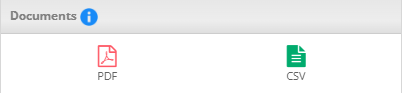
Once you have the list you require, you can export the list as either a PDF or a CSV (Excel). This can be found at the top of the page in the Advanced Filter.
_____________________________________________________________________________________________________________________________________
Plan Servicing
Please see our section Plan Servicing.
Was this article helpful?
That’s Great!
Thank you for your feedback
Sorry! We couldn't be helpful
Thank you for your feedback
Feedback sent
We appreciate your effort and will try to fix the article