To Quality Control Check (QC) by a Qualified Supervisor (QS) EICR there are 2 methods.
These are:
- Using the Electrical Analytics Dashboard
- Using the Visit List
_____________________________________________________________________________________________________________________________________
Checking with the Electrical Analytics Dashboard
First navigate to Analytics > Electrical Dashboard via the side menu.
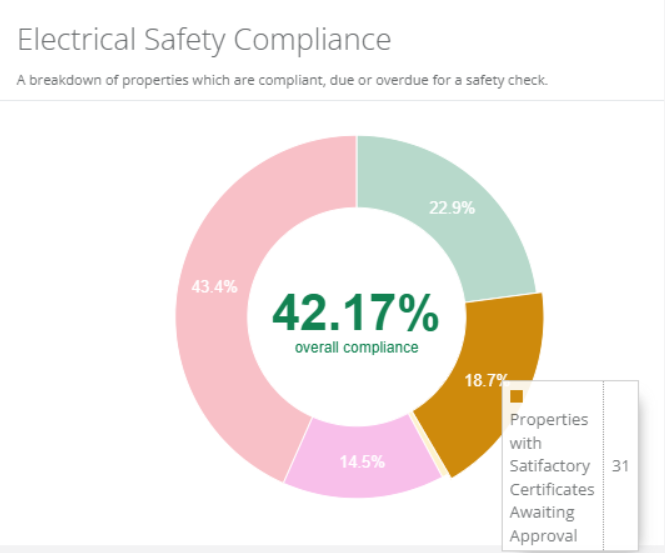
This will show if there any properties with certificates awaiting approval. You can select this segment on the chart to open a list of these visits in a new tab.
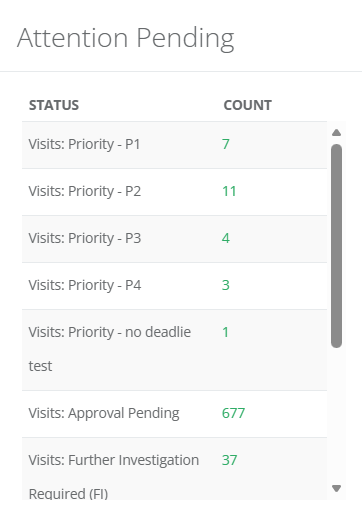
You can also check the Attention Pending panel. Similarly, you can select the number in the Approval Pending column to open a tab of all the visits that fall under this category.
_____________________________________________________________________________________________________________________________________
Checking with the Visit List
The Visit List can be found by selecting Jobs/Visits > Visits > View All in the side menu.
From here, select the Show Advanced Filter button.
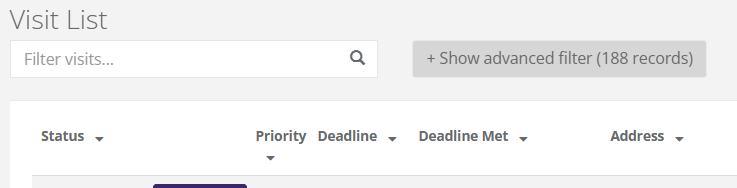
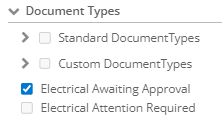
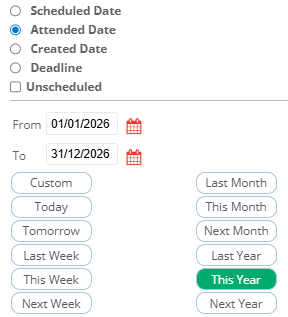
In the Advanced Filter select the Document Types drop down. Here you can toggle either the Electrical Awaiting Approval or Electrical Attention Required filter. It is also recommended to sort by Attended Date. Once these filters have been selected, click Apply Filter.
 |  |
_____________________________________________________________________________________________________________________________________
Viewing Certificates
Once the visits have been filtered, you can now select the drop down arrow next to the visit to view the documents against it. Simply select the document name to view. From here, you can either select the Pencil icon to modify the document, or the Tick icon to approve.
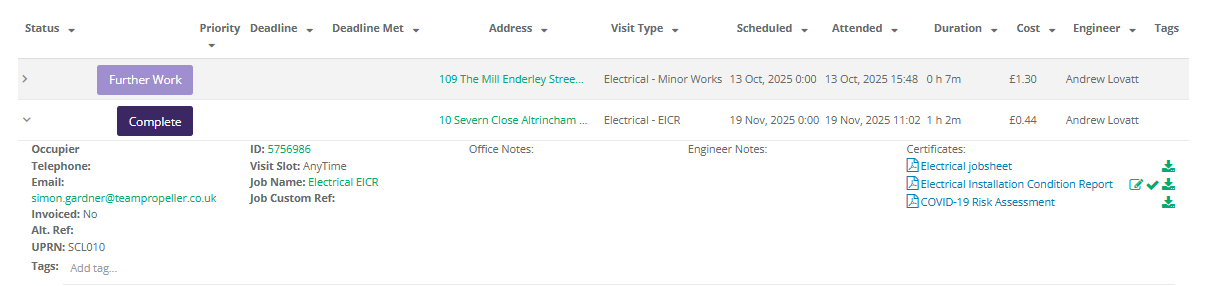

Approved certificates will show against the property.
Was this article helpful?
That’s Great!
Thank you for your feedback
Sorry! We couldn't be helpful
Thank you for your feedback
Feedback sent
We appreciate your effort and will try to fix the article