This section covers all areas which are relevant for each template made or edited. You can manage your company's templates by going to Settings > Template Manager.
On this page you can create a template by selecting Add New Template, or edit an existing template by selecting the name and then Edit..
Note: System Templates cannot be edited as these are global on Propeller - if you would like to use these templates with your own adjustments you will have to create a new template and copy the system template's details across.
You can preview what your template looks like by selecting the Eye icon.

_____________________________________________________________________________________________________________________________________
Template Fields
Delivery Mode
This is where you determine how the contact receives the information if they have given the necessary permissions, and there is valid contact details. Templates can be delivered in the following formats:
- Letter - These can either be downloaded to be manually sent, or sent to Postal.
- Email - This allows the Public Access Code to be sent.
- SMS - This can allow replies, and specific replies to have specific rules.
_____________________________________________________________________________________________________________________________________
SMS Reply Actions
You can allow replies to your SMS templates. To do this, select Enable Custom Actions to Customer Replies. Here you can select the action you would like to take place based on an Accepted Word that the customer responds with.

An example of this in practice could look like the below:

_____________________________________________________________________________________________________________________________________
Template Name
This is the name of the template which is used for Website Users (i.e. the list of Templates in the Template Manager, the dropdowns within Send Reminders on a property).

_____________________________________________________________________________________________________________________________________
Subject
This is the name of the Subject of the relevant delivery mode (i.e. Subject Line in an Email, the sent by Subject of an SMS, etc.).

_____________________________________________________________________________________________________________________________________
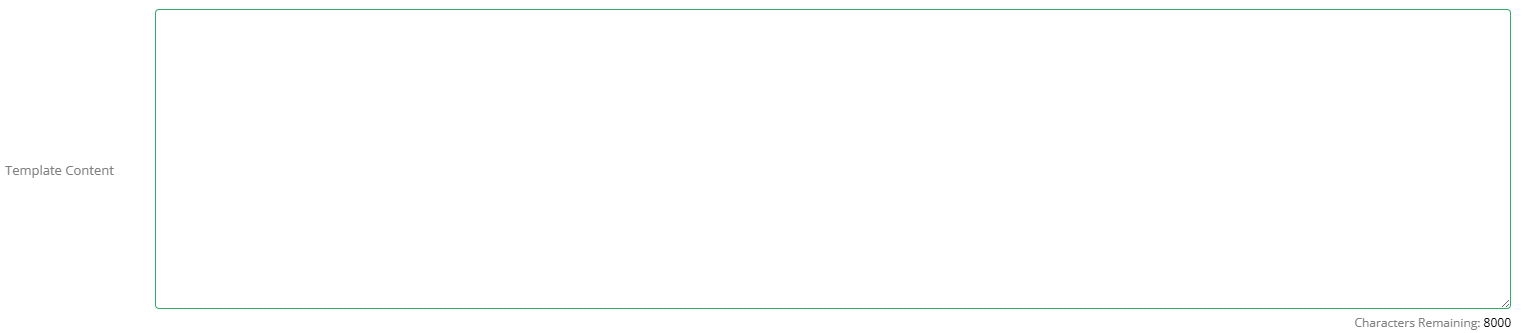
Template Content
This is the body of the template you're using and is what the contact will receive. Additionally, you can drag the Merge Fields into this section to tailor the template to your company.
_____________________________________________________________________________________________________________________________________
Merge Fields
These are used to bring data from Propeller into the template. They will be replaced by the relevant data when sending an email. For example, if you're sending a Service Reminder, you could include {Visit Date} and {Visit Duration} so that the contact would receive the date and how long the visit is assumed to take.
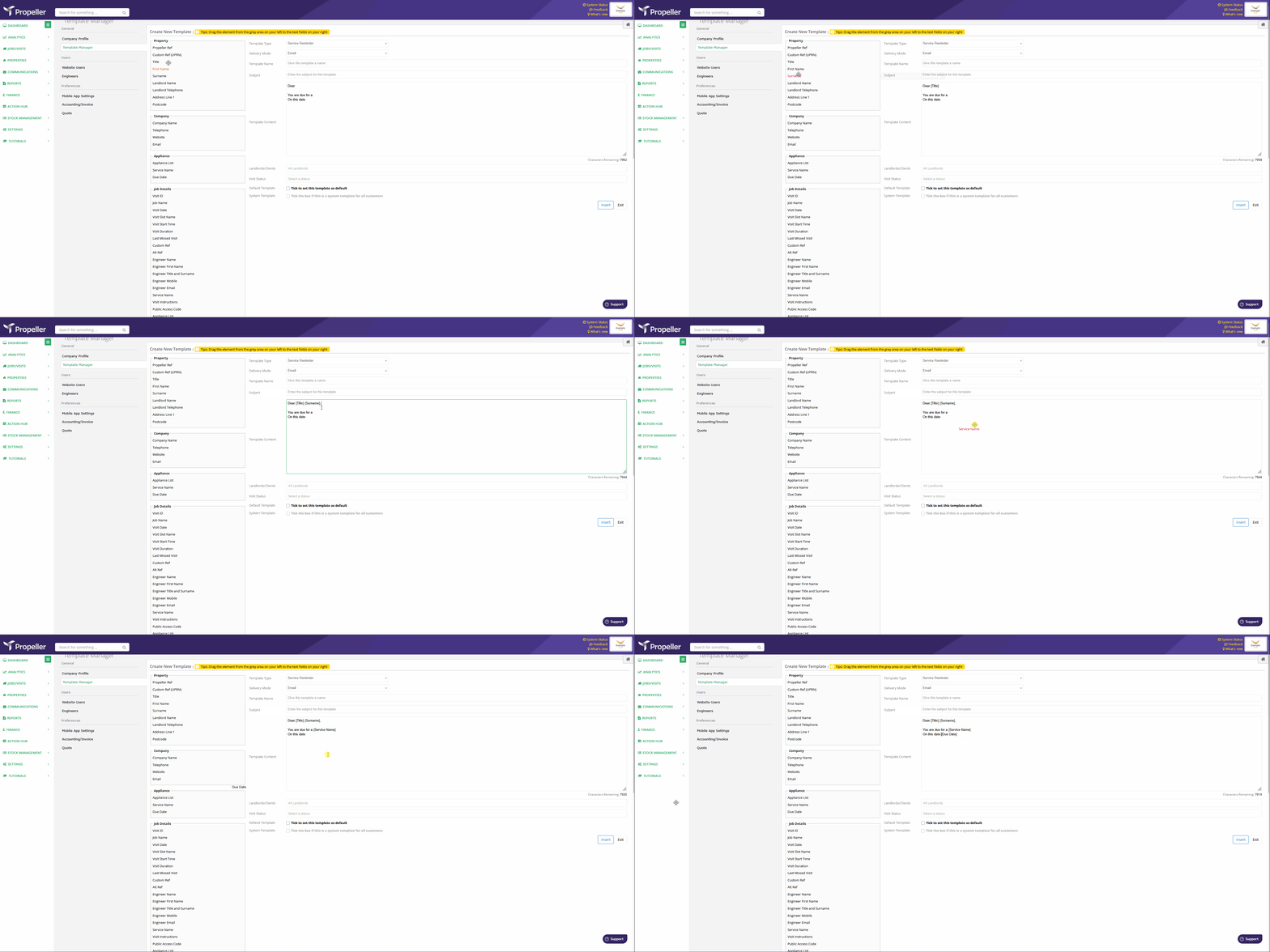
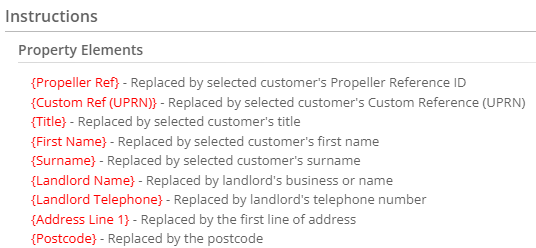
You can drag and drop the merge fields into the template. Alternatively, you can scroll below the template to the Instructions to find a list of the merge fields and their corresponding data which can then be copied and pasted.
_____________________________________________________________________________________________________________________________________
Landlords/Clients
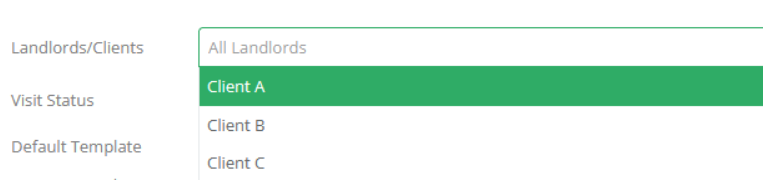
This allows users to make templates for specific Landlords or Clients. You can select multiple Landlords or Clients by choosing them in the drop down or searching in the text box. These will be added to the textbox and can be removed by clicking on the X. If no Landlords or Clients are selected this template will be usable for all properties.
_____________________________________________________________________________________________________________________________________
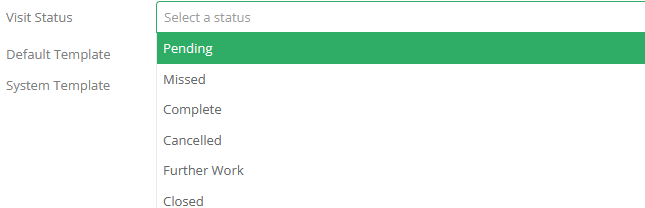
Visit Status
This allows users to specify which status a template is to be used for. This is mandatory, but multiple options can be chosen. This allows bulk communications with contacts via the Visit Communication page to be specific to the state of the visit.
For example, you could create an email template asking for a review and select Complete and Closed for a post-completion bulk email. This then could be ran by going to Visit Communication, choosing the filter information and then specifying that you're wanting to see Complete Visits. Then this would be available under Email. The same would be for closed visits, but using the filters for any Pending, Cancelled, Missed or Further Work visits wouldn't allow the user to select this template.
_____________________________________________________________________________________________________________________________________
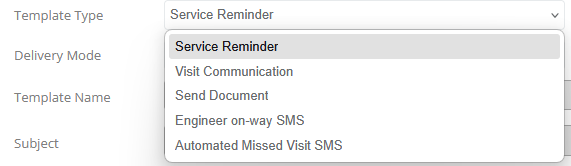
Template Type
_____________________________________________________________________________________________________________________________________
Service Reminder
This template is used to for communicating with contacts about upcoming Service Dates for Appliances. This can be accessed by the Property page, and choosing Send Reminders. This allows Asset information to be added to the Template Content body.
_____________________________________________________________________________________________________________________________________
Visit Communication
This template is used in communication within an existing Visit. These can be accessed by going to a Pending visit, and choosing Send Visit Information.
_____________________________________________________________________________________________________________________________________
Send Document
This template is used for forwarding documents from within the Propeller System to a user. If you choose the Delivery Mode as email, this template can be accessed by going to a Visit and choosing Email Documents. If you choose Postal Cover Letter, it will be used when going into the Document Collator, and choosing Postal rather than download.
_____________________________________________________________________________________________________________________________________
Engineer on-way SMS
This template is used when an engineer confirms they're on the way via the Propeller Mobile App.
_____________________________________________________________________________________________________________________________________
Automated Missed Visit SMS
This template is used when text messages are automatically sent when a visit is messed. These can be made specific to landlords, but only one template can be assigned to a landlord. There can only be one for All Landlords.
Was this article helpful?
That’s Great!
Thank you for your feedback
Sorry! We couldn't be helpful
Thank you for your feedback
Feedback sent
We appreciate your effort and will try to fix the article